
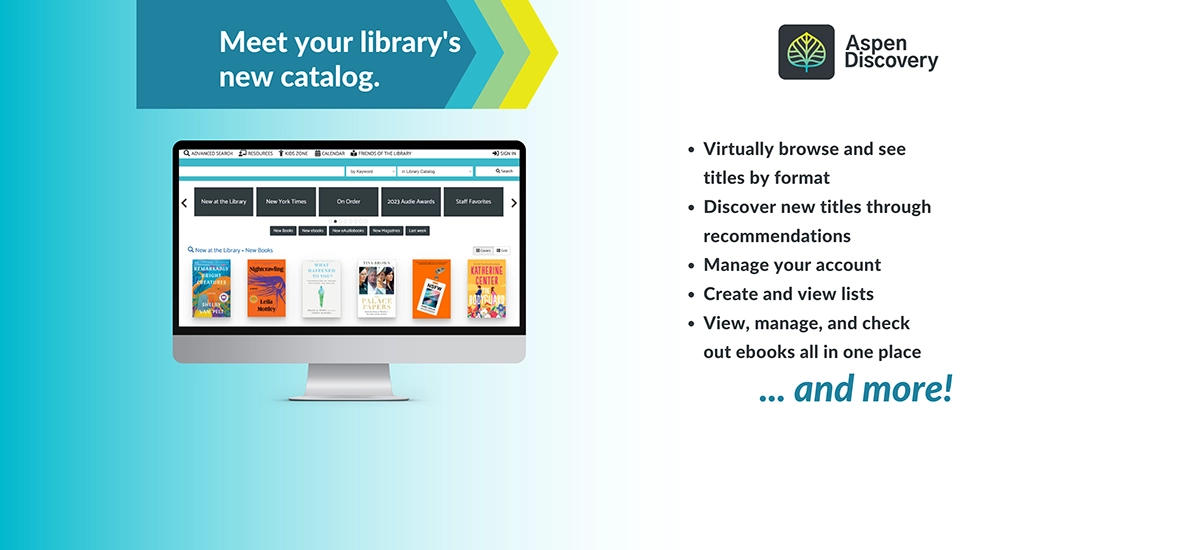
Our Library catalog experience, powered by Aspen Discovery, features a powerful search engine that makes it easier than ever to discover physical and digital materials from our world class collection. It also offers exciting customization features and value-added content like reading recommendations, read-alikes, reviews, ratings and more!
FAQ
How do I reset my PIN/Password
- By default, your PIN/Password is the last 4 digits of the phone number that is on file with your Library card.
- If you are unable to log in to your library account using the last 4 digits of your phone number, you can reset your PIN/Password via email. Please note: you must have a current email address saved in your library account to use this feature.
- If you do not have a current email address or phone number saved to your Library account, please visit or call your local ASCPL location to reset your PIN/Password. In order to reset your PIN over the phone, you will be asked to confirm two pieces of information confirming your identity, including your Library card number, date of birth, phone number, or email address.
Why did ASCPL make this change?
Aspen Discovery offers a more user-friendly, modern browsing experience that makes it even easier to find the materials you want. It also offers exciting personalization features and search tools designed to help you more easily discover all that ASCPL has to offer.
What is Aspen Discovery?
Aspen Discovery is a new way of discovering books, eBooks, audiobooks, magazines, movies, music, Library of Things, and more. This powerful new search engine includes features like predictive search text, curated lists, personalized recommendations, and greater control over your user experience.
Other exciting features include:
- Filter search results by format, language, Accelerated Reader Level, Lexile measure, and more
- Search results display in groupings, making it easier to find your preferred format
- Explore Featured Lists
- Create your own lists and save your favorite searches
- Keep track of your borrowing history
- Get reading recommendations and find read-alikes
- Easily find all the books in a series
- Explore ratings, reviews, author bios, and more
What will happen to my reading history?
If you enabled your Reading History in our previous catalog you will still be able to access it in Aspen Discovery by logging into your account and clicking on the Reading History link.
My Borrowing History is a feature that allows you to voluntarily track items you check out. You may start or stop using it, as well as delete any or all entries in your history at any time. If you choose to enable the My Borrowing History feature, you agree to allow our automated system to store this data.
Your privacy is important to us. To better protect your privacy, we provide a notice explaining our online information practices and the choices you can make about the way your information is collected and used on Confidentiality of Library Records and Patron Information page.
If you were signed up for text message notifications from the Library, you will need to sign up again. How do I sign up for text message notifications from the Library?
Follow these steps to start receiving text message reminders to renew or return your Library materials BEFORE they are due. There is no fee to sign up for this service, but your cell phone plan’s regular text messaging rates still apply. Please contact your cell phone service provider for rate information.
- Log in to your Library account.
- On the Messaging Settings page, check the SMS box next to the types of text message notices you’d like to receive.
- In the SMS number box, enter the phone number you’d like to use for text message notifications, then select your SMS provider from the drop-down menu.
- Click Update Settings to save your changes.
Once you complete these steps, you will automatically get texts about items that meet your Messaging Settings. A text will be sent only when activity on your account triggers a message.
You can log into your Library account to update your Messaging Settings at any time.
How do I opt out of text message notifications?
If you decide you’d no longer like to receive text message notifications, you can manage your notification preferences in the Messaging Settings area of your account.
What are Linked Accounts?
Linked accounts allow you to easily maintain multiple accounts for the Library. For example, families can link children's cards to parent’s accounts. To link accounts, you must have the second account’s barcode and PIN to link. Any linked cardholders will be notified that their account was linked to another. Linking accounts allows information for all linked accounts to be viewed in one place. Information from linked accounts will appear when you view your checkouts, holds, etc. in the main account.
To add, remove or view your linked accounts, log into your Library account, click on Account Settings, and click Linked Accounts.
Are Libby, hoopla, Kanopy, or library databases be affected?
You may be asked to login again. Your PIN will be the last 4 digits of the phone number we have on file. To ensure uninterrupted access, you can call or visit one of our locations or log into your library account online before January 25th to update your phone number.
Checkouts, holds, tags, and other personalized elements in these apps will not be affected by the transition.